Authenticated testing detects 78% more sensitive data exposure
It doesn’t take a particle physicist to figure out that authenticated testing will give you better results. But I never really had data to back it up. Recently, NowSecure’s CTO David Weinstein analyzed about 105,000 mobile app assessments – roughly 5,000 authenticated and 100,000 unauthenticated, across both Android and iOS – and the results were striking.
Authenticated testing detects 78% more sensitive data exposure per scan.
I put together a short video walking through the analysis and a live demo in the NowSecure platform. The rest of this post covers the highlights.
Same tests, different state
This is the part that surprised me most. NowSecure runs the same 520+ checks whether or not the scan is authenticated. The testing engine doesn’t change. What changes is the application state.
When you authenticate with real credentials, the app actually does things:
- Session tokens get generated
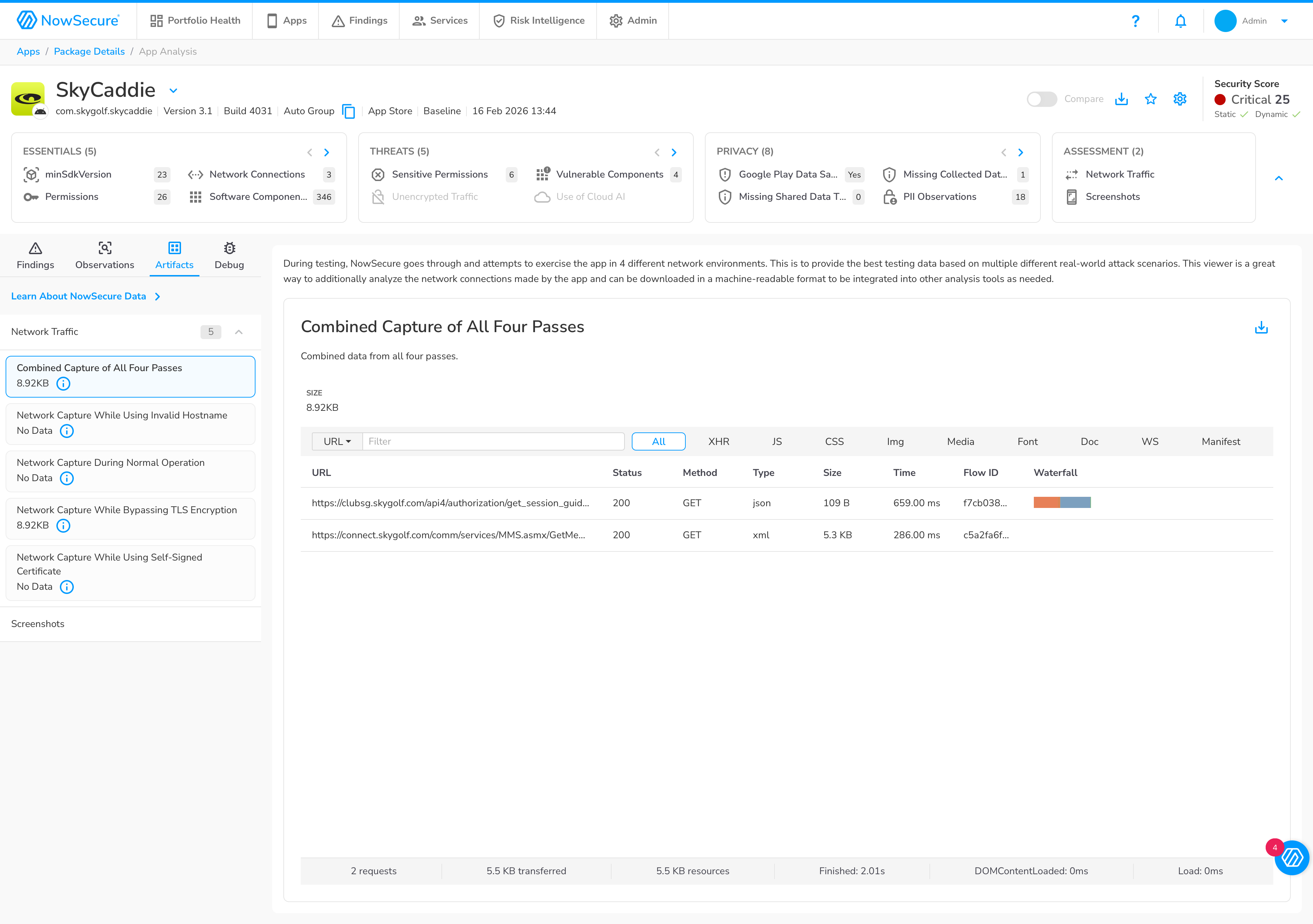
- Network traffic increases dramatically (in my demo, from 2 requests to 18)
- APIs behind authentication get exercised
- Third-party SDKs start collecting telemetry on active users
- Logs, files, and keychains get written with real user data
All of that creates observable behavior that the testing engine can analyze. Without authentication, those code paths simply never execute.
The numbers
The headline stat – 78% more sensitive data exposure – comes from comparing the per-scan averages: 7.23 findings per authenticated scan vs. 4.07 unauthenticated. But some individual finding types are far more dramatic:
| Finding | Unauth | Auth | Odds Increase |
|---|---|---|---|
| Username in logs | 0.6% | 20.8% | 42x |
| Email in logs | 0.9% | 15.6% | 21x |
| Username in files | 1.8% | 22.9% | 16x |
| Keychain password (iOS) | 0.2% | 8.8% | 62x |
| Email in files | 1.9% | 15.8% | 10x |
These aren’t edge cases. Usernames, emails, and passwords showing up in logs, files, and keychains – that’s the kind of sensitive data exposure that matters for compliance and user privacy. And it essentially doesn’t exist pre-login.
What you actually see in the platform
To make this concrete, I ran two scans of the same app: one baseline (unauthenticated) and one authenticated. The NowSecure platform lets you compare them side by side.
The baseline scan found 24 findings. The authenticated scan didn’t dramatically increase that count, but it uncovered new findings that weren’t there before, like a first name leaking to device logs and a missing data safety declaration:
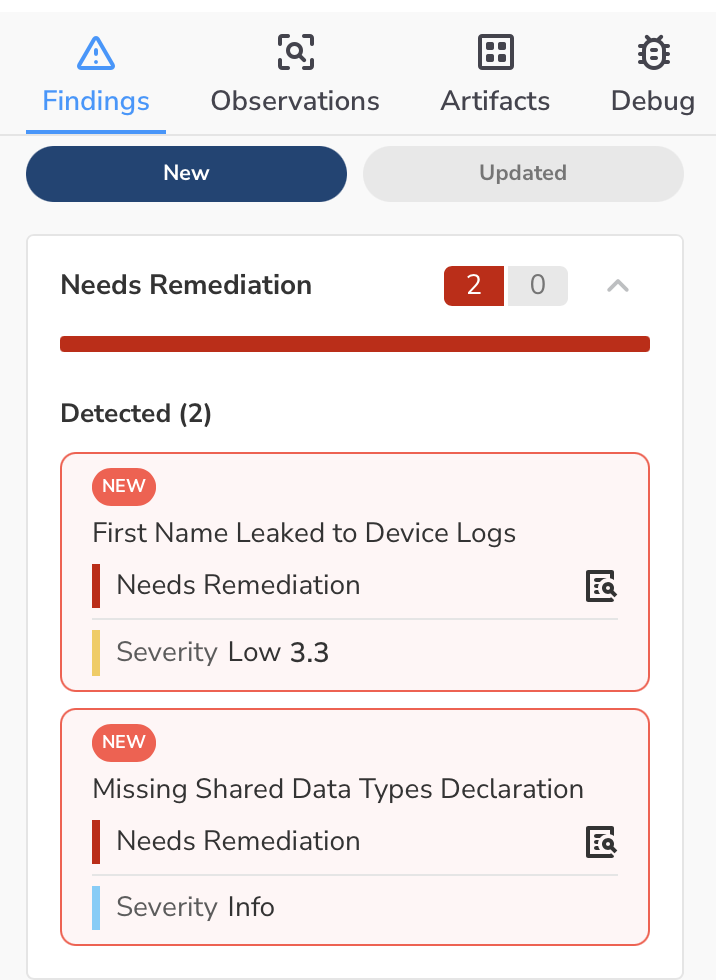
That second one is worth calling out. Because we exercised more of the app, we discovered a device ID being sent to Firebase that wasn’t declared in the app’s data safety section. That’s the kind of thing that can get your app flagged in the store.
Beyond new findings, 30 existing findings were updated with additional instances – more PII observations (18 to 42), more evidence of the issues that already existed.
Network traffic tells the story
The difference in network activity makes it visually obvious why authenticated testing finds more. Here’s the baseline scan – 2 requests, about 5.5 KB total:
And here’s the authenticated scan – 18 requests, 134 KB, with real API calls flowing through:
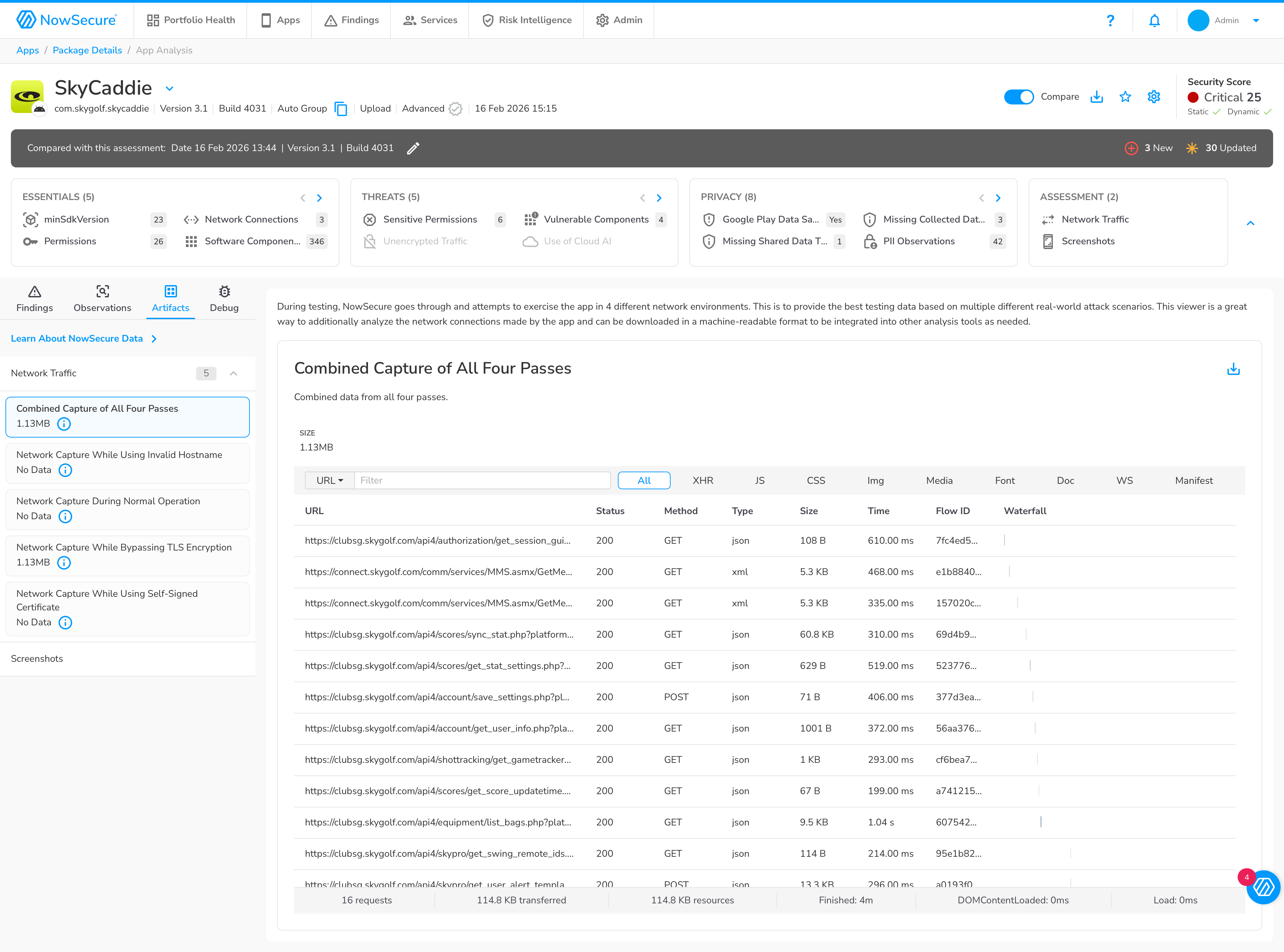
More traffic means more data in motion, which means more opportunities to detect sensitive data being transmitted, logged, or stored insecurely.
AI Navigator makes this easier
One thing I showed in the video is NowSecure’s AI Navigator, which uses a vision-based LLM to navigate apps during testing. Instead of scripting button clicks or hoping a bot guesses the right login flow, the AI actually looks at the screen and makes decisions. It significantly improves authentication success rates and app coverage with a lot less manual configuration.
The bottom line
If you’re testing mobile apps without authenticating, you’re missing the majority of sensitive data exposure. The data is clear: 78% more findings per scan, with some categories 10-60x more likely to appear. And with AI-assisted navigation, getting authenticated coverage is simpler than it used to be.
If you’d like to see what authenticated testing finds in your own apps, feel free to reach out – connect with me on LinkedIn or contact NowSecure directly.